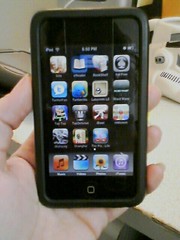
In which we consider our data-syncing options.
Once upon a time, an iPod could be used as an external USB hard drive; all you had to do was tick a check box in iTunes and from then on you could plug your trusty iPod into any computer and use it as a thumb drive. Great for hauling files and applications around in your pocket.
Now the iPod’s file system type has changed so the iPod no longer mounts as a disk drive. The pod itself has gone from being primarily an MP3 player to being a full-fledged PDA: we find that now that disk drive utility is truly needed, it’s gone.
Enter a host of syncing applications and solutions. The pod itself has great built-in Mail, Calendar, and Contacts applications, but they won’t natively sync to web-based content. There’s no built-in file utility, either, so you can’t put your Office documents on it. You can sync some functions through iTunes to local installations of Outlook, but who uses a single installation of Outlook any more?
The problem on the table is this: how do I sync my content to my iPod Touch?
Let me count the ways:
1. I can’t. I use the Google application (essentially just a bunch of shortcuts to mobile Google content on the web) to view web-based documents, contacts, and calendar items.
This solution is clean, but it sucks for two reasons: you can’t view your Calendar if you’re not at a hotspot, and you don’t get to utilize the iPod Touch’s built-in applications, which are adorably cute.
2. I sync my iPod to iTunes, iTunes to Outlook, and Outlook to Gmail using Plaxo.
Gack. This is the mess I’ll probably settle on, because I already use iTunes and I already have a Plaxo account, but can you say clusterfuck? Any chain with that many links in it is bound to fail miserably at some point.
3. Use Apple’s MobileMe.
MobileMe is a service that allows you to keep your files on a web server, and then access them from any web-connected browser and your iThing.
It has a cute little web interface where you can upload files and images, music and movies. It has a cute little iPod app that lets you view that same content – cached, even, so you can view previously-viewed content – offline. It opens Office docs, PDFs, and other file types. It syncs your Contacts and even your email (although why you’d want that, I have no idea
…aaaaaaand it costs $99 a year. For very little storage space. And it doesn’t do anything that Google and Plaxo don’t do for free.
What I really want is some genius to write a Google sync application that allows two-way synching between my iPod Touch apps and my remote Google services. (I suppose I’d want the same thing for Plaxo, AOL, Yahoo!, etc if I were nicer, but I’m not. I use Gmail.) You can sync (one-way only) your Google calendar through iTunes, but what good is a one-way calendar sync?
Argh. It’s so hard to be in love with a product that won’t do what you need. Except that it’s THE CUTEST DEVICE EVER IN THE HISTORY OF THE WORLD OMGWTFBBQ!!!1!